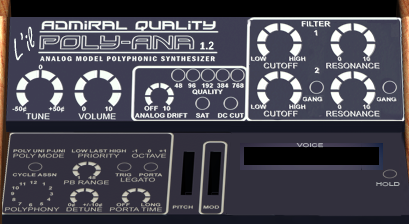
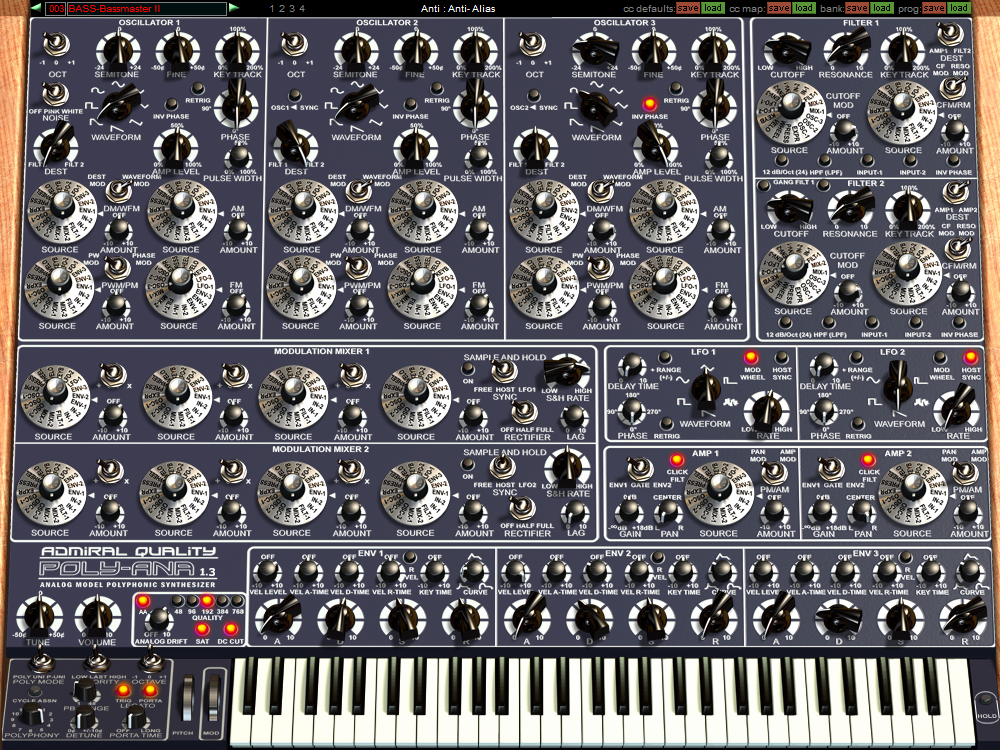
Version 1.3.4 of Poly-Ana and L’il Poly-Ana adds the ability to set the initially loaded program bank to one of your choosing, and fixes a minor bug in Linear Knob Mode.
Version 1.3.4 of Poly-Ana and L’il Poly-Ana adds the ability to set the initially loaded program bank to one of your choosing, and fixes a minor bug in Linear Knob Mode.
Time for a minor maintenance update for SCAMP. We finally found some bugs to fix and, now that they are, our bug tracking list is back to zero items. That’s how we roll!
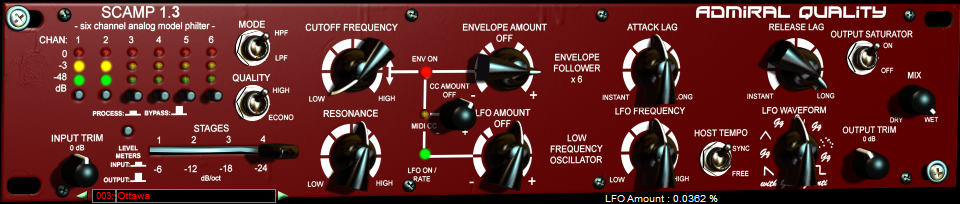
New in SCAMP 1.3.2:
Enjoy!

Version 1.3.3 of Poly-Ana and L’il Poly-Ana fixes a bug in 1.3.2 that caused a crash when Custom Skins that set Tooltip colors were loaded.
New in Poly-Ana 1.3.2, improved MPE (MIDI Polyphonic Expression) support!
Version 1.3.2 of Poly-Ana and L’il Poly-Ana AU/VST adds improved support for MPE, the newest addition to the MIDI specification. Multi-channel control allows for the synth’s voices to have separate, unique and independent pitch-bend and other MIDI CC controller messages sent per note/channel rather than shared across all voices on a single MIDI channel as with a typical keyboard controller. Poly-Ana’s multi-channel MIDI-Guitar mode has already supported most of MPE before this update. (In fact, most of MPE was supported by Poly-Ana long before the MPE specification was even proposed! We’ve been proud to have been mentioned on several pages listing MPE compatible synth products right from the very start of MPE!)
We’ve now added a few new features, most of them automatic with one new setting in the Options Dialog, to improve MPE compliance. To keep the classic multi-channel MIDI-Guitar behavior, leave the new MPE (ON)/GUITAR MULTI-CHANNEL MODE switch in the Options Dialog set to Off. To enable improved MPE compatibility, turn it On. Usually that’s all you’ll need to think about, just set the option to match the kind of multi-channel MIDI controller you’re using. (Note that for Guitar mode you will typically want to use a patch set to Poly Mode: UNIson with either 1 or 2 voice Polyphony, but this isn’t strictly necessary so we don’t force or require the setting.)

The main difference is in how events on the MPE Master Channel are interpreted. With MPE mode activated, changes to MIDI CC modulation sources on MIDI Channel 1 are shared to all voices sounding on all other MIDI channels as well. Additionally, the WHEEL modulation source (mod wheel) is made unique per voice/channel when “MPE (ON)…” is activated, where it was shared between all voice/channels in the older Guitar Mode. The other modulation sources that can be unique per-channel are IN-1, IN-2, EXPR and PRESS (channel aftertouch only, polyphonic aftertouch only applies to channel 1 which will be your MPE Master Channel for Zone 1 when in MPE mode). These other four modulation sources, plus pitch-bend, all work with multi-channel input in either MPE or Guitar modes, only the Mod WHEEL behavior is different between the two modes (unique Mod Wheel control only being offered in MPE mode). This distinction is necessary for backward compatibility due to how Poly-Ana traditionally mapped the Mod WHEEL MIDI CC (control-change) message to the Wheel front panel parameter/control where the other four common modulators were assigned CC number sources in the Options Dialog with no corresponding front panel “depth” controls. (Though you can always make a depth control by using Poly-Ana’s Mod Mixers! Usually by multiplying one of the other Mod Sources by the WHEEL source.)
As Poly-Ana is a mono-timbral instrument (poly-timbrality is easily achieved by adding additional plug-in instances to your project) MPE Zones are not currently supported so only MPE streams containing Zone 1 should be sent to Poly-Ana. As well, Poly-Ana has a maximum of 12 voices, so your MPE controller should be set to send a maximum of 12 channels (or fewer, generally you’ll want to set your MPE controller’s number of channels to match the Polyphony setting of the Poly-Ana program you’re controlling).
Poly-Ana also doesn’t currently respond to MPE messages defining Pitch Bend range or Mono/Poly Modes, preferring instead to adhere to the front-panel program settings. While this can be somewhat less automated to set up, it’s ultimately the choice we prefer as it puts control completely in the user’s hands and avoids any automatic behavior making changes to the patch/program that the user might not be immediately aware of.
If you’re not using either type of multi-channel MIDI control you can safely ignore this new setting as your MIDI will typically be input all on Channel 1 and all MIDI pitch bend and CC controllers will be shared across all voices triggered on the single MIDI channel. (In fact, if you’re not using multi-channel Guitar or MPE at all, you can safely skip this update.)
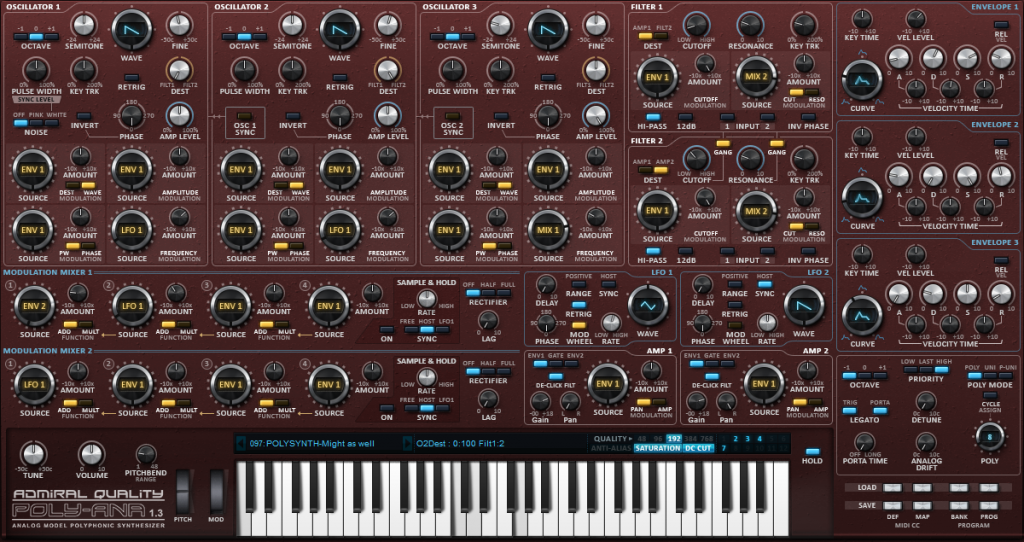
Poly-Ana skin Limeflavour_Moderne_Strawberry (showing dials)
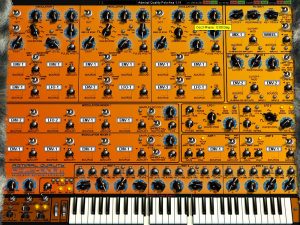
Poly-Ana backgrounds can be easily replaced with anything you’d like. This capability of Poly-Ana has been largely superseded by the recent addition of full skinning capability, but if you like the way the built-in controls look and are laid out and just want to change the background image, this is the simplest way to go.
| You can download pre-made backgrounds from here, along with a Photoshop template for designing your own.
Background Template PSD file, 1000 x 750 pixels. L’il Poly-Ana background PNG file, 409 x 224 pixels. To activate a custom background on Windows, make sure the file is named Poly-AnaBG.png (or LilPoly-AnaBG.png for L’il Poly-Ana) and create the folder “C:\Program Files (x86)\Admiral Quality\Poly-Ana\” and place it there. (On 32 bit versions of Windows use the “Program Files” folder instead of “Program Files (x86)”. Both the 32 and the 64 bit versions of Poly-Ana will reference this same location.) To activate a custom background on OS X, make sure the file is named Poly-AnaBG.png (or LilPoly-AnaBG.png for L’il Poly-Ana), create these folders under your user folder, “/Users/(your_user name)/Library/Application Support/Admiral Quality/Poly-Ana/” and place the file there. Note that some newer versions of OS X hide this folder from you by default. You can reveal it by…
Alternately, you can permanently reveal your user Library folder by entering “chflags nohidden ~/Library” into a Terminal window. More information on revealing your User Library folder can be found here https://www.macworld.com/article/2057221/how-to-view-the-library-folder-in-mavericks.html Here are some completed examples to get you started. Remember that you need to rename them to “Poly-AnaBG.png”, place them in the correct folder as described above, and restart Poly-Ana to see your new background. Send us your background image and if we like it we’ll post it here!
|
||
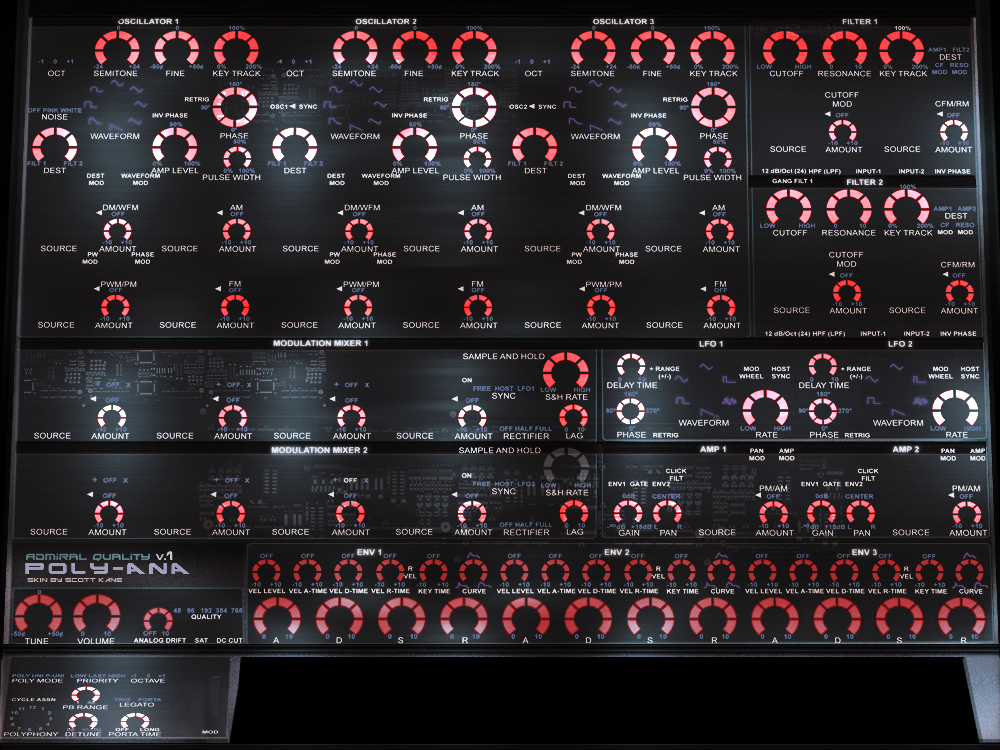 Funky Blue/Red by Scott Kane preview |
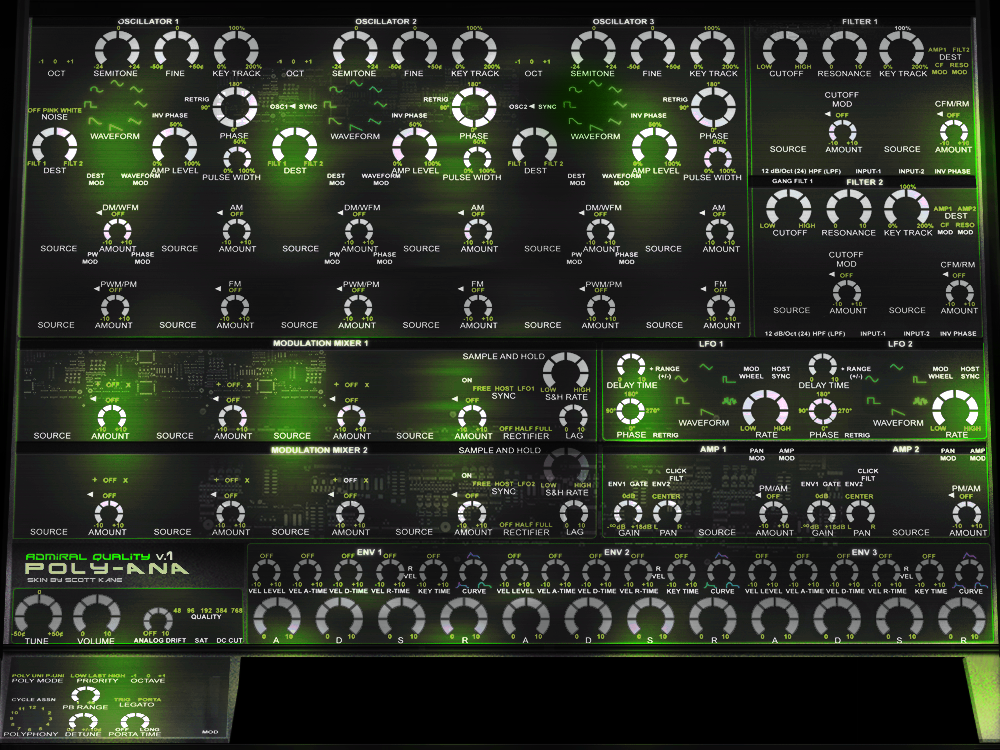 Funky Green by Scott Kane preview |
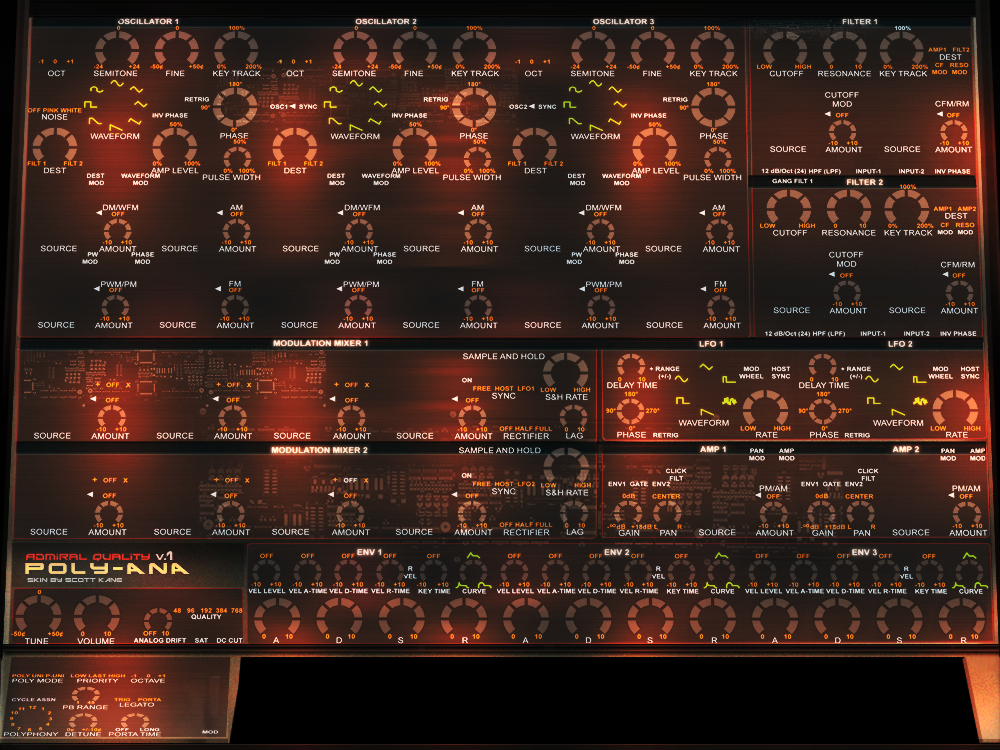 Funky Red by Scott Kane preview |
 Leather by Scott Kane preview |
 Simple 1 by Scott Kane preview |
 Simple 2 by Scott Kane preview |
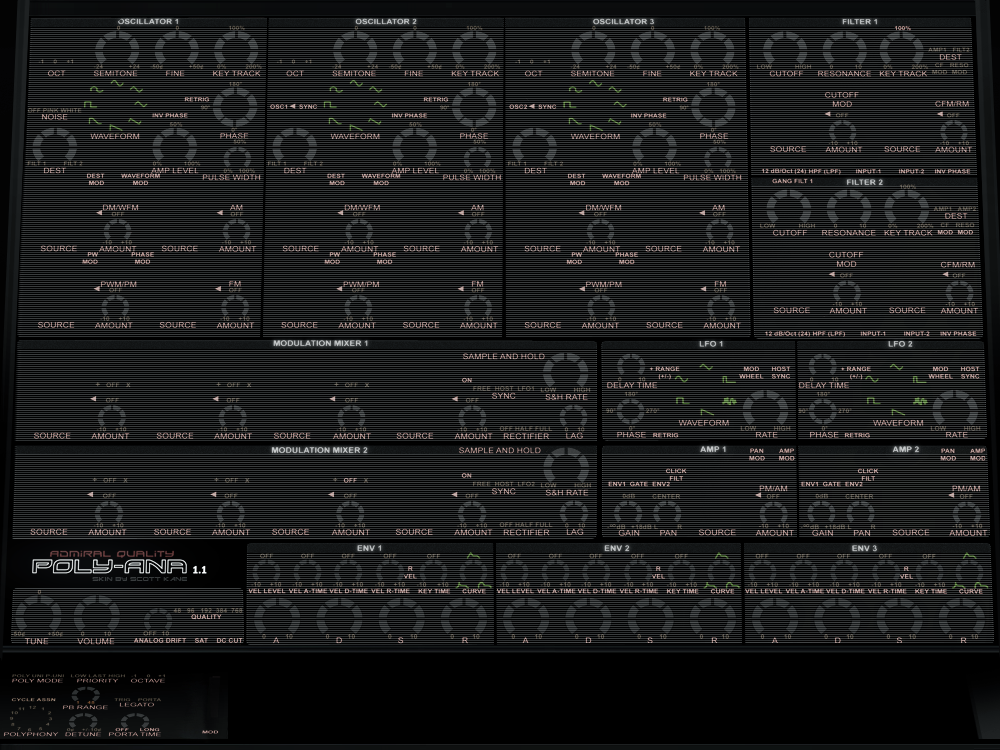 Simple 3 by Scott Kane preview |
 Smells Like Wood by Scott Kane preview |
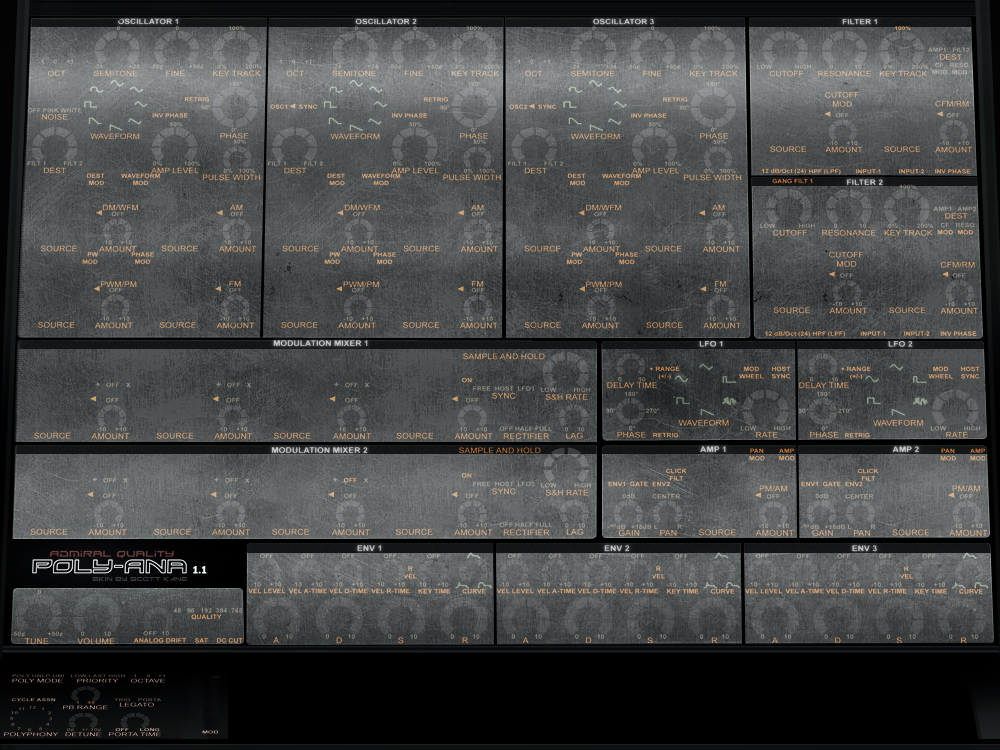 Steel by Scott Kane preview |
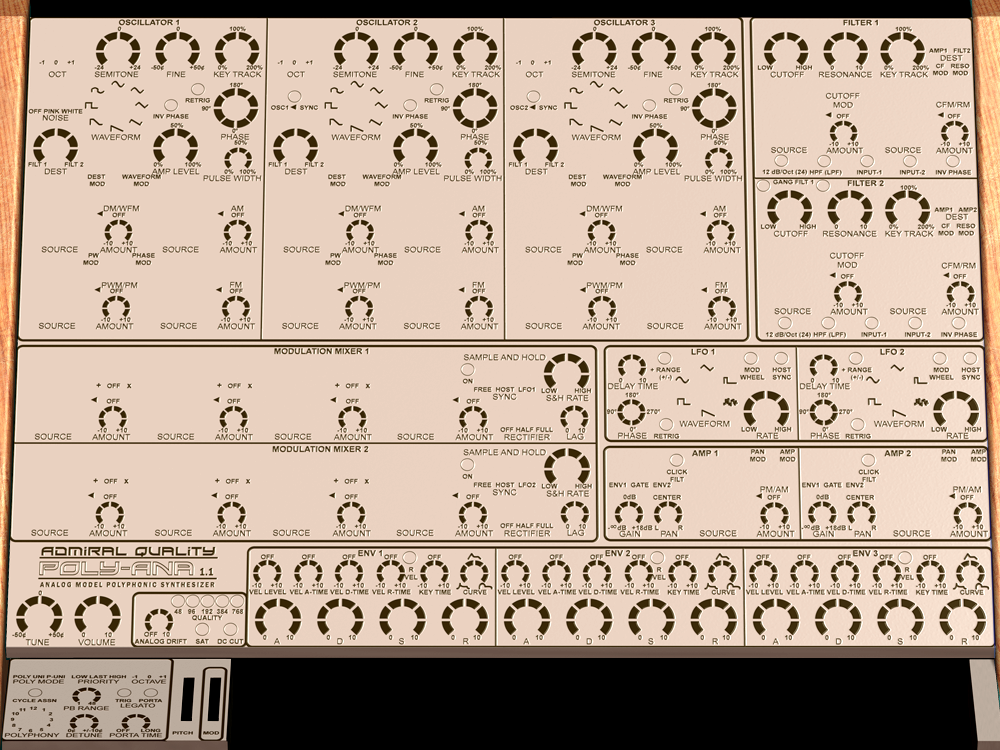 Parchment preview |
 Pink preview |
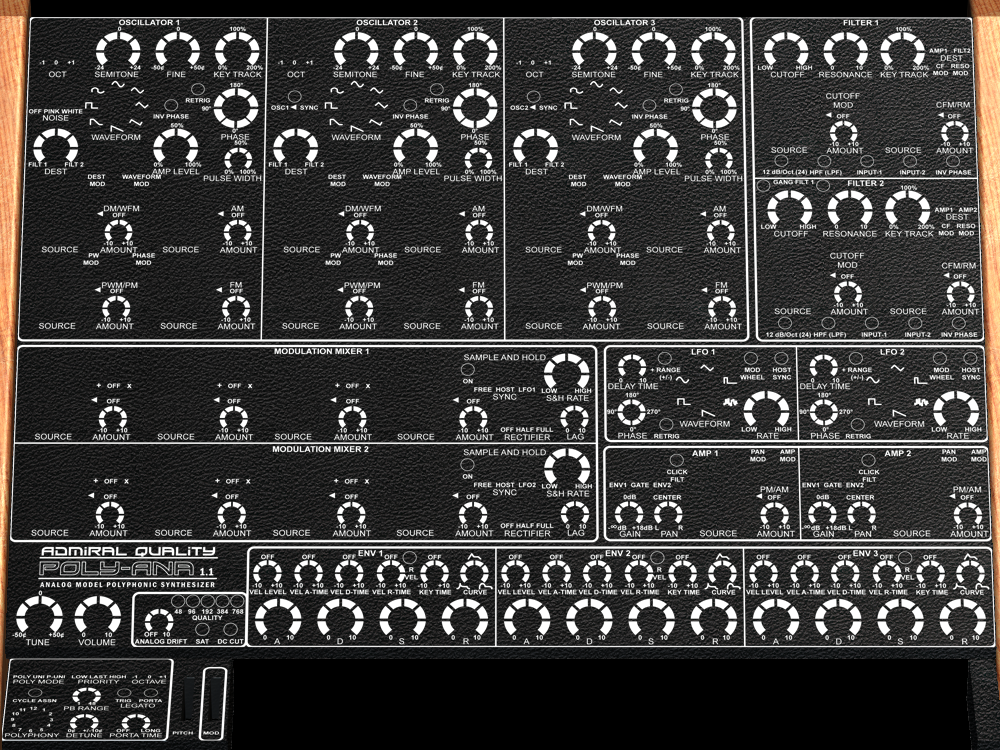 Tolex by Kingtubby preview |
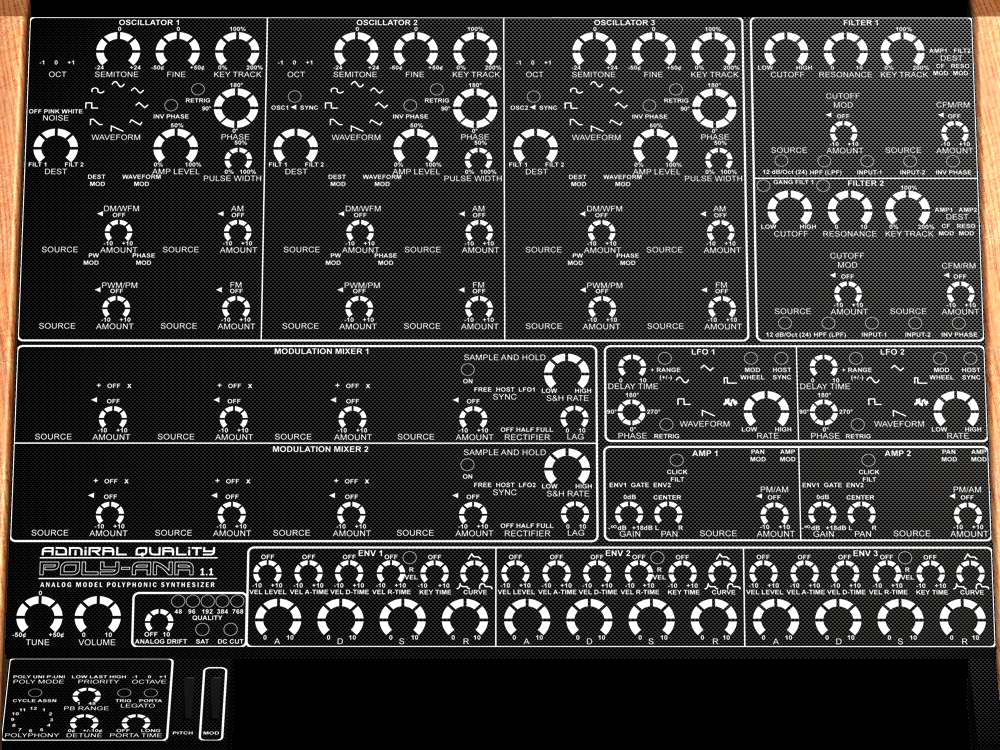 Carbon by Kingtubby preview |
 ColorCoded by ktjones preview |
 Clean by Totolitoto preview |
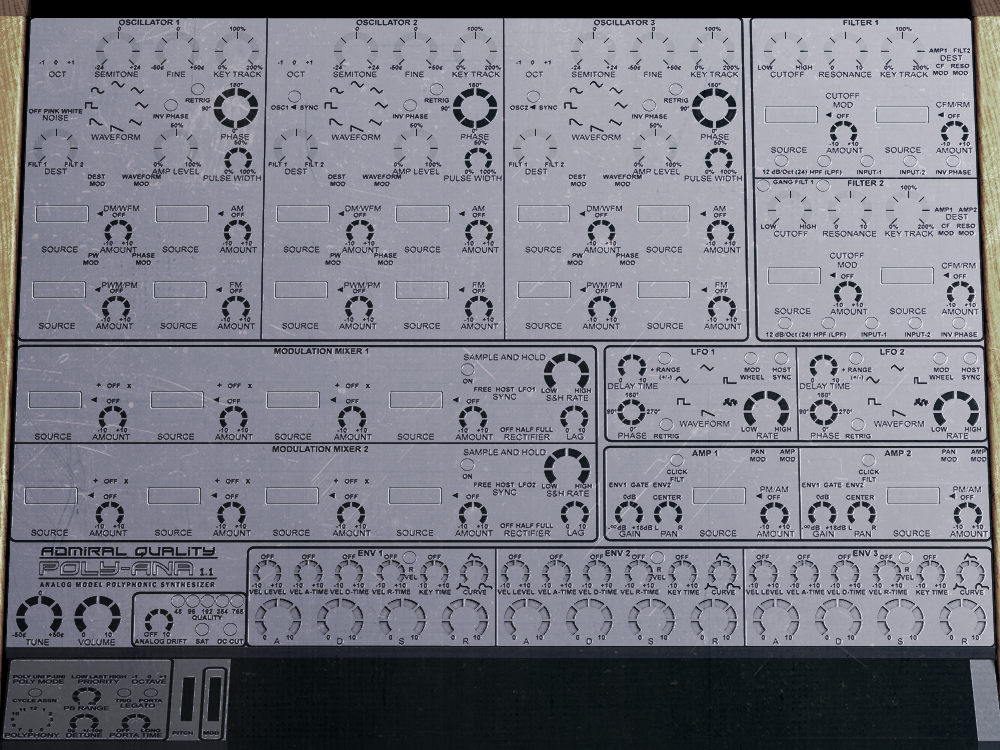 Cleaned by Totolitoto preview |
 Funky by Totolitoto preview |
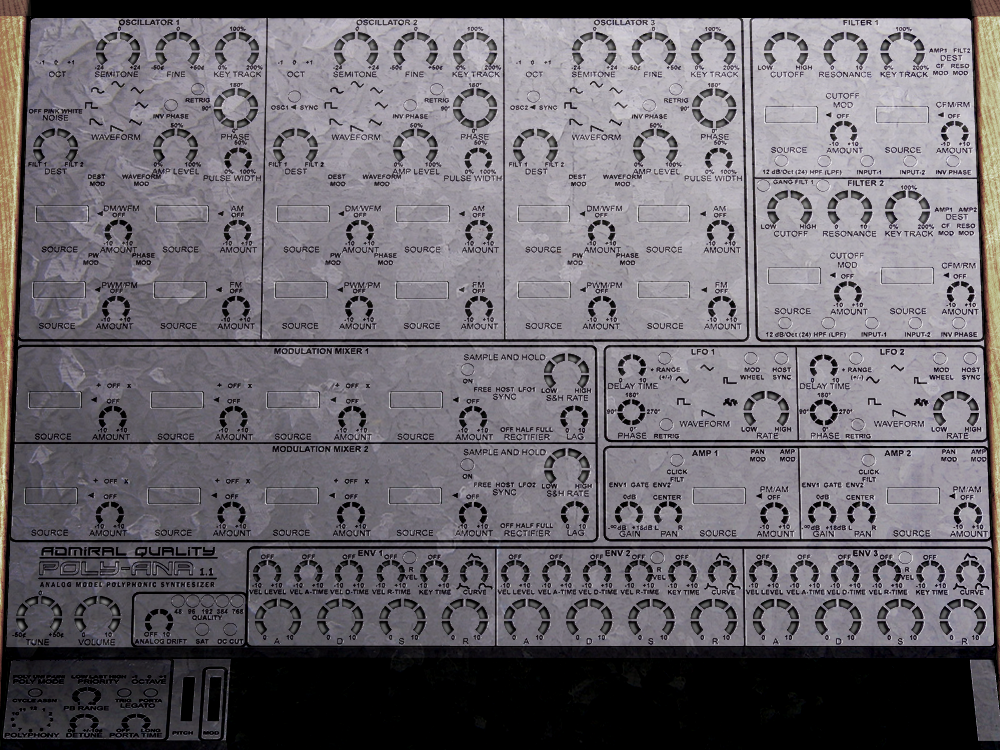 Galva by Totolitoto preview |
 Lemon by Totolitoto preview |
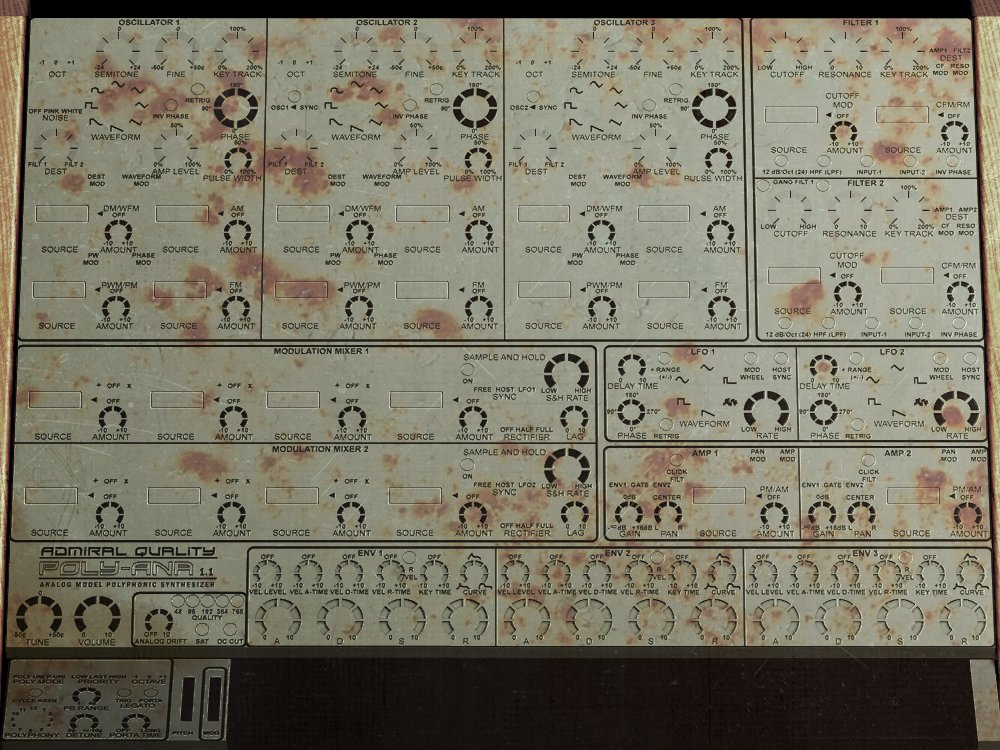 Rusty by Totolitoto preview |
 TooMuch by Totolitoto preview |
 Sunshine by catalog preview |
 Orange on Blue by Teksonik (aka Kraft Dinner 😉 ) preview |
 Woody by Exi preview |
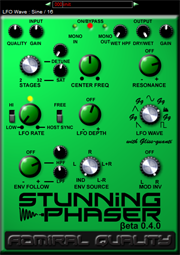
Stunning Phaser Beta 0.4.0 is out! Lots of tweaked and improved behaviors in this update and one big new control added; a Quality knob to control internal oversampling rate! Settings of 1X, 2X, 4X (the previously hard-wired setting), as well as ludicrously high 8X and 16X multiples of your host project’s sample rate can now be set to control trade-off between sound quality and CPU load. We’ve also added two new settings to the Stages control — 2 and 3 stages — and a negative range on the Resonance control. (Negative feedback sounds a little weird, but who are we to stop you from going there if you want to? We believe in enabling our users, not limiting them!)
Please note, depending on how testing of this update goes, 0.4.0 could quite possibly be the last update in the Stunning Phaser Beta Series, so you’ll want to act soon to catch the big 60% OFF the regular price ($39.95) Buy-it-in-Beta deal of only $15.98.
In other news, the new website is now well tested, working well, and we’ve got almost all of the old pages moved over into the new system. (With the exception of the Poly-Ana Patch Exchange which has been due a face-lift since Day #1 anyway. We hope to get to that soon but it’s still there, as ugly yet functional as ever.)
As well, we’re offering an additional 15% OFF if you take advantage of our Bundle Deal and buy everything at once!
Cheers!

Added in Poly-Ana 1.30 Beta 2, you can now make your own Custom GUI Skins!
Until now, the built-in Poly-Ana GUI (graphical user interface) has been rather polarizing. Some people love it; the Admiral certainly built the GUI he likes to use! This GUI was built before any work on the DSP code started — the opposite of how most developers do it. We did this intentionally so that we were forced to use that GUI during developent, which assisted in testing and verifying its usability. It’s not something we stuck on at the last minute and never actually used ourselves. (And we are musicians and do use our own products!) Just the opposite, Poly-Ana’s user interface was carefully thought out and everything it does, including a few non-typical behaviors, is completely intentional and there to enhance workflow. (See the documentation included in the Poly-Ana distributable for more details about and our rationale behind some of Poly-Ana’s unique interface features.)
However, a significantly sized and very vocal group of others absolutely hate the original GUI. (There doesn’t seem to be much mid-ground, it either communicates its intent by invoking the look and feel of classic synths that inspired its design, or causes a furious rage against the misguided evils of skeuomorphism — with no opinion in-between!) For years now we’ve offered the ability to change the background image to anything you like, as well as the ability to change the Mod Source selector dials to dropdown menus (which we’ve now made the default behavior in 1.30 B2). But the fury has raged on, and we have been listening. But to simply take orders from angry non-customers and change the look to meet their demands (and they have been demands) would be doing a disservice to our existing, satisfied customers who love it just the way it is. So for some time now the intent has been to provide a custom GUI system. That work (and it was a lot of work) is now done!
On this page you will find Instructions for creating your own Custom Skin, a FAQ, and our Skin Trade section where we will be sharing any Custom Skins that users send us that we liked. And if we do share your skin, we’ll give you (or anyone else you specify) a complimentary Poly-Ana license or credit of equivalent value for free! Now, we know exactly how much work it is to build a skin for Poly-Ana (which has 212 controls plus a 61 note keyboard) and we don’t want anyone spending all that time making a skin they think we’ll love, only to find out when they submit it to us that we don’t think it’s good enough to share here. (And we are very picky. That’s the “Quality” part of our name!) So please, if you’re embarking on a new skin project and you hope to earn a license for it, contact us early and show us some previews of your work; maybe a mockup or partial mockup of the full GUI. Then we can let you know early on whether we think you’re going in a direction with it that we’ll be interested in sharing, and help guide you towards a look and feel that we can both be proud to share here. As well, we’ll expect skins submitted for licenses to be largely original content, not just a minor tweak of someone else’s skin. (Of course, nothing is stopping you from making any skin you like and sharing them through other means with your friends. It’s only the skins we post on this page that we need to evaluate and approve first.)
Q: What do new skins cost?
A: Just like our program banks, skins are always free! We’re in the business of selling instrument and effects plug-ins, not graphics and sound libraries, which we always share for free as soon as we get our hands on them!
Q: The old GUI didn’t fit on my laptop screen and now this new one is even worse!
A: We know. It doesn’t fit well on our 1366×768 MacBook Air either. A “wide” version of that skin is coming any day now that will fit a lot better on height-limited laptop screens. Please stand by…
Q: Are there custom skins for L’il Poly-Ana, the “Lite” preset player version?
A: No. If you want to use the Custom Skins you’ll need to upgrade to full Poly-Ana. See the Poly-Ana page for details. (As the Beta 2 and 3 updates were mostly for adding the new Skins feature, L’il Poly-Ana is still at 1.30 Beta 1. It will be updated by Beta 4, though it still won’t include the Custom Skins feature.)
Q: I don’t like knobs. Can I make sliders instead?
A: Not at this time. The problem with sliders is they have limited resolution compared to knobs, which have the entire pixel circumference of your screen to use for adjustment. Yes, there can be a fine control mode for sliders (just as there is with Poly-Ana’s knobs when set to Linear Knob Mode) but we never want to force that on the user, it should be a choice which they can select whether they want to use or not from the Options Dialog (opened by clicking on the product name). Still, we’re looking into improving the behavior of the existing slider controls in the GUI code library we use, just as we did with the multiple Knob Modes, and it could be offered at some time in the future. (You actually could make a slider right now, and use it in Linear Knob Mode in a way that would probably seem to make sense. But it would be confusing when in Circular or Circular Relative knob modes. Go ahead and try it if you like, but we won’t share any skins that do that here.)
Q: What about other controls? Can I change the knob’s range angles or get rid of the detents?
A: No. Things like the knob ranges, their detent “sweet spots” that they snap to, and other unique control behaviors are integral parts of the Poly-Ana interface as well as something we don’t want users to have to re-learn when they switch skins. You can change how anything looks, but now how it behaves.
Q: I use drop-down menus. Do I have to implement a knob for the Mod Source dials?
A: Yes. Skins aren’t allowed to limit the capabilities of the product. (Actually, it’s fairly easy right now to push controls off the background so they’re missing, but don’t count on that continuing in future updates.) Might we suggest for the Mod Source dials, a knob that shows the selected value in its center? We’re planning to make some of those soon ourselves.
Q: Can controls overlap?
A: Maybe. Sometimes. Be careful and test thoroughly, no guarantees. (The keyboard controls will have to overlap. The black keys are drawn after the white keys, so they should always appear on top of them. Even so, we’ve still got a few little glitches in how they display to work out. Sometimes black keys are appearing half white. That’s not your skin, that’s our code, and we’re working on improving it.)
Q: My existing knob graphics don’t point in the right direction when I try to use them in a Custom Poly-Ana Skin. Why not?
A: Your existing knob graphics probably don’t go through a full range of 360 degrees. See the instructions below for details on producing knob “filmstrip” graphics for Poly-Ana.
Q: I want to switch rapidly between different skins. How can I?
A: There’s currently no facility for changing the skin once an instance of Poly-Ana has been launched. (It only loads the graphics at instantiation time in order to speed up opening of the editor after that.) But you can easily have many different skins that you switch between, or revert to the built-in skin, just by renaming the folder they’re in. You will need to launch a new instance of Poly-Ana (easiest to just save and reload your host project) to see the changes, however.
Q: Can I change the Tool-Tips text or behavior?
A: No. But you can turn them off entirely in the Options Dialog (click the product name).
Q: I think I found a bug in the Skin system. My skin crashes Poly-Ana!
A: That’s not really a bug. Malformed skins (so to speak) will often crash Poly-Ana, we make no guarantee that it will handle any skin data. We’re working on adding more error checking and reporting but there will probably always be a way to make Poly-Ana crash with a poorly formed Custom Skin. Best when making your own to start with our included one, and make changes slowly rather than all at once. Be very careful not to break the syntax of the XML file, particularly by forgetting to put in closing tags. Now, if one of the skins we include or share here on this page crashes Poly-Ana, please definitely report it to us because that is a bug! Also note that many host programs will not attempt to load a plug-in after it’s crashed once. To reset this, remove the Poly-Ana .dll, .vst or .component file from the folder you installed it in, restart your host, close your host, replace the Poly-Ana file, and restart your host again. (Some hosts also include a feature to “rescan plugins”, which may or may not be faster than the above procedure, depending on how many plug-ins you have installed.)
Instructions for Building Poly-Ana Skins
Rules:

This key, Neighboring black key (if applicable), Neighboring white key:
Frame 1: Up, Up, Up
Frame 2: Down, Up, Up
Frame 3: Up, Down, Up
Frame 4: Down, Down, Up
Frame 5: Up, Up, Down
Frame 6: Down, Up, Down
Frame 7: Up, Down, Down
Frame 8: Down, Down, Down
XML file
The Poly-Ana Custom Skin is defined by an XML format file named Poly-AnaSkinl.xml which is located in the skin folder under the same folder your Poly-Ana.key goes in. (On OSX in: /Users/Your_user_name/Library/Application Support/Admiral Quality/Poly-Ana/skin/ On Windows in: \Program Files (x86)\Admiral Quality\Poly-Ana\skin\ — or use the Program Files folder on 32 bit versions of Windows that don’t have a Program Files (x86) folder.)
We won’t describe every line of the XML file here, it should be self-explanatory. We’ve added lots of comments to explain things in the demo skin (included in the Poly-Ana 1.30 Beta distributable).
Image files
All background and control image files must be PNG format, 8 bits per channel, 4 channel (RGBA). Transparency works as do shadow and glow effects, and are much easier to do than building separate images for each control with the background “baked” into them. (Though if that’s how you like to work, you’re free to do that as well.)
Knob images must go a full 360 degrees around, starting at the 6:00 position (pointing straight down) and advancing clockwise until one frame short of the 6:00 position. We recommend making knob “filmstrip” graphics 360 frames tall, one-frame-per-degree, but you can make any number of frames you want. (More than 360 is probably massive overkill. Much less and you can see the steps as the knob advances. We think 360 is perfect, and it also makes a lot of the math work out to convenient and intuitive values as well.)
Note that, unlike most other virtual instruments and effects that travel through 270 degrees, Poly-Ana’s knobs (at least the ones that don’t freewheel through a full 360 degrees) go 300 degrees. You’ll want to take this into account when designing your background images. We did this because real-world potentiometers go through 300 degrees, and we wanted to maximize the control area to provide the finest possible resolution.
Resources
 A great, free tool for making knob filmstrip graphics is JKnobMan which you can get here: http://www.g200kg.com/en/software/knobman.html
Here is a JKnobMan project file that will help get you started making Poly-Ana knobs. It sets the correct start angle, number of frames and end angle: PolyAnaStartKnob.zip
Here is a JKnobMan project file that makes a Poly-Ana Mod Selector knob. All the correct text and angles are filled in for you: PolyAnaModKnob.zip
Here’s an online gallery of public domain JKnobMan projects you can use to make many, really slick looking knobs. To make these knobs compatible with Poly-Ana, you need to go through each layer that rotates and change the starting angle to -180 degrees (should point straight down) and the end angle to 360-(360/NumFrames). If you set the number of frames to 360 in the preferences, which is what we use, your end angle will be 179 degrees: Free Knob Gallery
If you’re producing knob graphics from some other method, like 3D software, you may need a utility program to stitch the individual frames together into the tall “filmstrip” format we use. Here’s a good one: http://www.niallmoody.com/apps/pngstitch
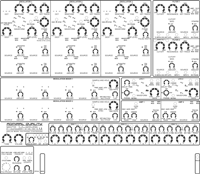
Here is a .pdf file with Poly-Ana’s original panel layout and that also contains our branding which you’ll need to use if you’re making a skin that you want to qualify for sharing here (and earning a free license). Poly-Ana_Panels_v130.pdf
The Skin Trade
Skin to win! Send us your skin and if we like it and post it, you’ll win a Poly-Ana license for you or a friend (or equivalent credit for you).
2015-08-27 And we have another winner! This time, with a little bit of attitude! “Industrial”, by, DavidF!

Poly-Ana_skin_DavidF_Industrial_v02a.zip (updated 2015/08/31 — fixes keyboard lighting direction)
2015-08-24 “Moderne”, our second winning Skin submission from famous music software skinner, Limeflavour! This all-original skin is available in two different sizes to fit any screen, and offers 8 choices of background color! Fantastic work, Limeflavour!
_980x735_Dials_preview.png)  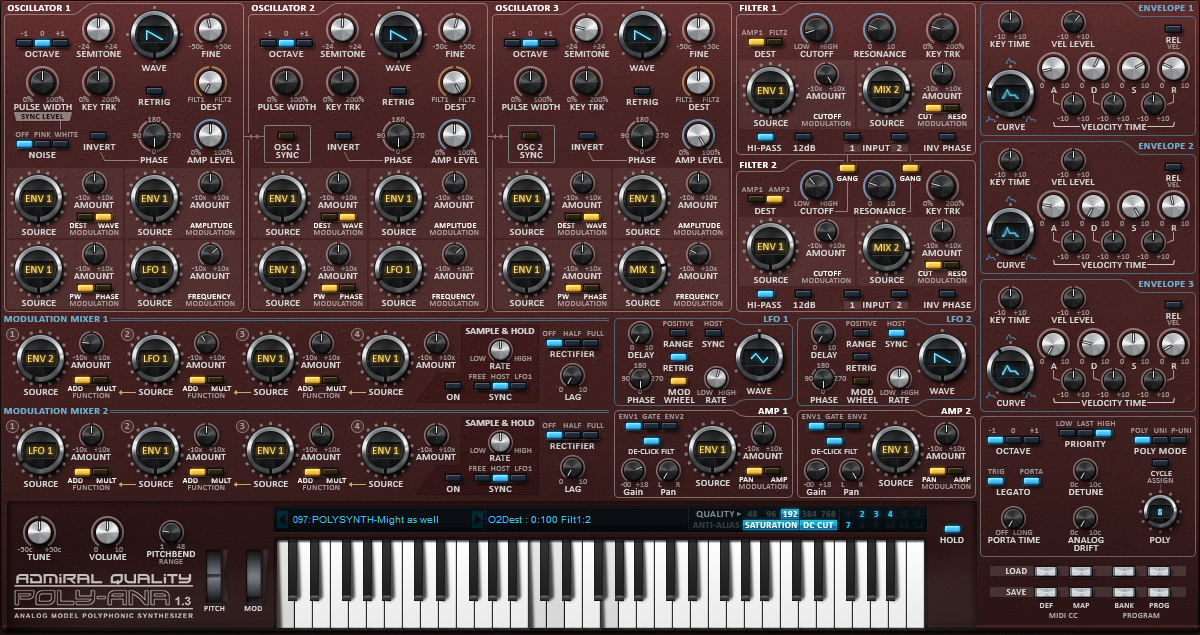  |
980×735: Poly-Ana_skin_Limeflavour_Moderne_980x735_v01a.zip (15/08/25 – Updated to v01a to fix Program Selector not updating when Prev/Next program buttons clicked on OSX only, Windows users who already installed v01 don’t need this update.)
Background: Aquamarine, Background: Blueberry, Background: Boring, Background: Lilac (included as default), Background: Nightmare, Background: Original, Background: Sandbox, Background: Strawberry.
1200×635: Poly-Ana_skin_Limeflavour_Moderne_1200x635_v01a.zip (15/08/25 – Updated to v01a to fix Program Selector not updating when Prev/Next program buttons clicked on OSX only, Windows users who already installed v01 don’t need this update.)
Background: Aquamarine, Background: Blueberry, Background: Boring, Background: Lilac (included as default), Background: Nightmare, Background: Original, Background: Sandbox, Background: Strawberry.
2015-08-06 New! Our first winning Skin submission from Hoverland, “Dusk”! Now updated with cool new controls for the Mod Sources as Dials mode. (Also note that this skin folder contains 4 other folders containing optional backgrounds that you can copy up into the skin folder to enable.) Great work, Hoverland!
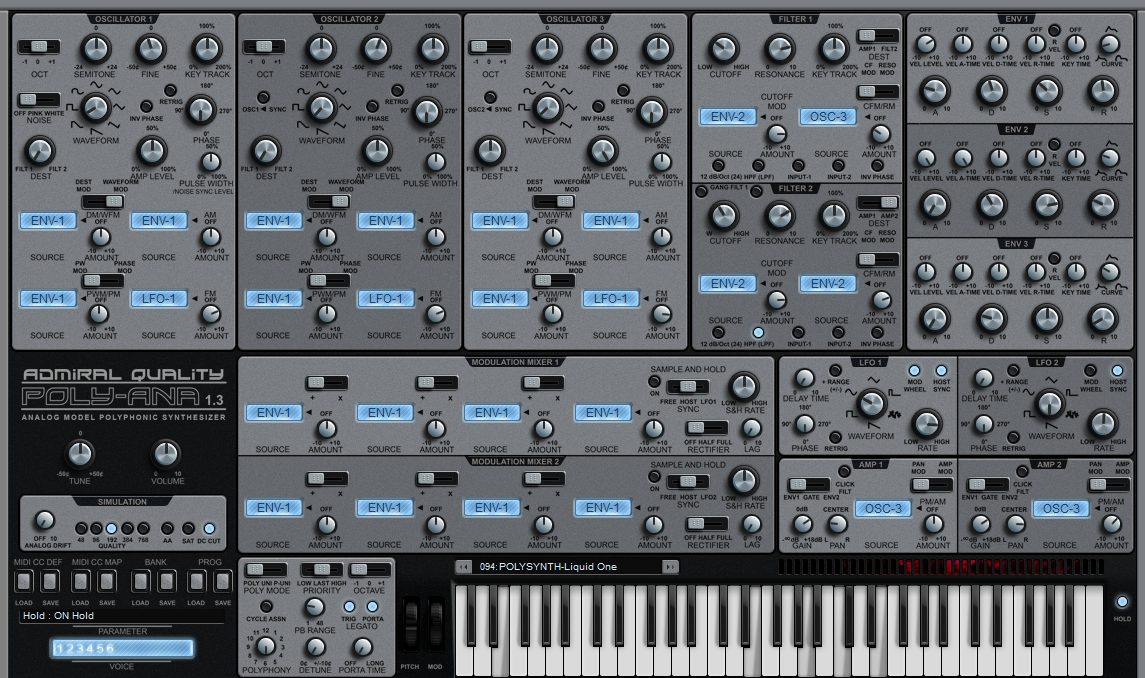

Poly-Ana_skin_Hoverland_Dusk_v03.zip (updated 2015/10/03)
New! Hoverland has graciously shared his Photoshop document that he used to create this skin with us, as well as the JKnobMan project used to create the “cylindrical” Mod Source control, so now it’s an easy matter to tweak it in any way you’d like! Thanks again, Hoverland!
HoverlandDuskSkinPSD.zip
Hoverland_ModCylinder01_knob.zip
2015-07-31 New! Our first alternate skin offering, “Wide SEM”. As promised, here’s a wide skin that should better fit in the vertical dimension of your laptop screen. It also changes the look to dark labels on a light background, and loses the “scales” that don’t work well when rendered as dark under the dark knobs.
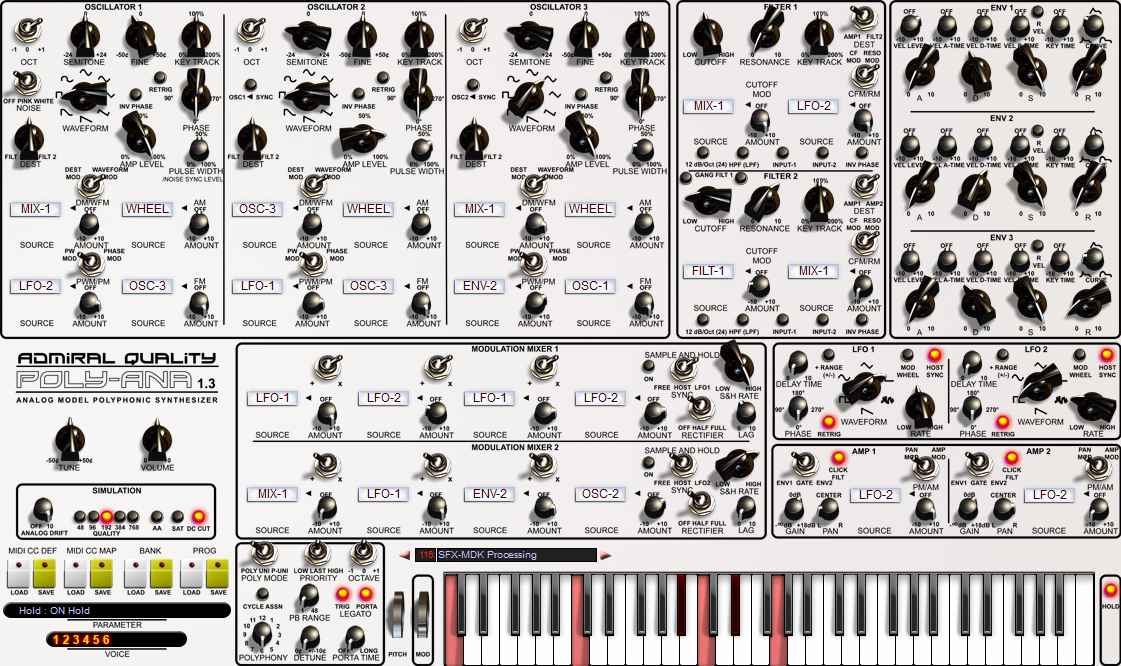

Poly-Ana_skin_AQ_WideSEM_v04.zip (updated 2015-10-04).
If you want to use this skin as a starting point for your own, the AI file for this new panel layout is here: Poly-Ana_Panels_08_WideNoScales_AI.zip
Here’s the JKnobMan project for creating the cool new Mod Source knob plus “cylindrical” display: KnobMan_AQ_ModCylinder.zip
2015-07-19 Our original demo skin, “Redux”, a re-working of the original Poly-Ana GUI that loses the perspective of the panels and keyboard and the wooden sides, but should otherwise look very familiar to long-time Poly-Ana users.
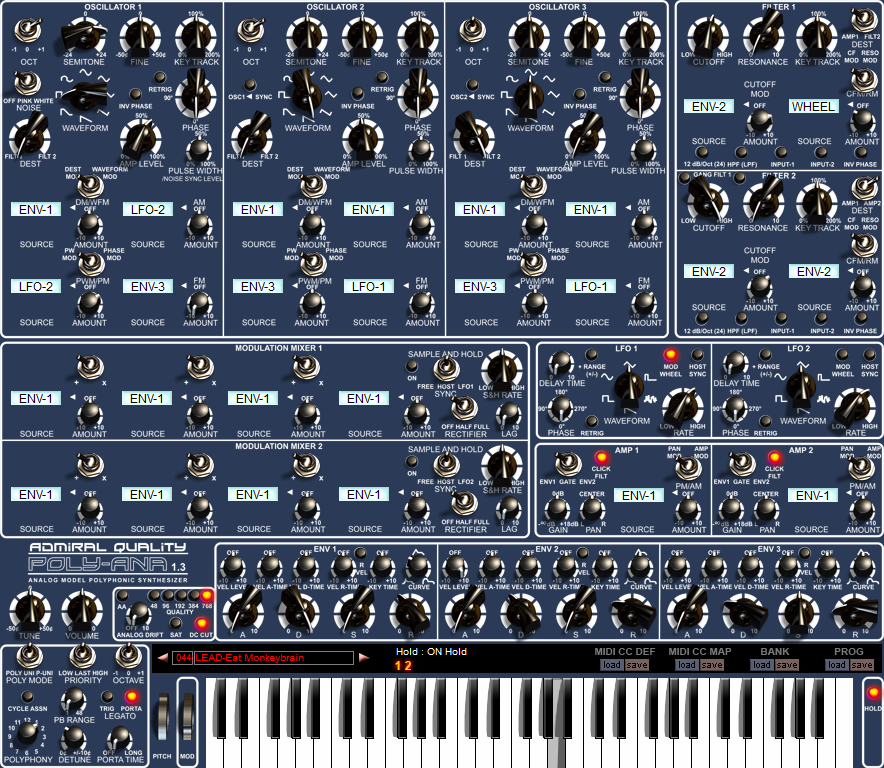

Poly-Ana_skin_AQ_Redux_v01.zip
Audio and video demos of our flagship virtual-analog softsynth plug-in, Poly-Ana.
| Poly-Ana Demo Clips: | |
|
|
|
New! |
Here’s another great work contributed by Dangerous Orange, “made exclusively with Poly-Ana (apart from the drums)”. It’s from the soundtrack for the film “Guile Point” by OK Retro Films, available here. We really love how this one showcases Poly-Ana’s ability to create convincing, glitchy and continuously evolving sound that you’d swear was produced by real analog electronics. |
New! |
Poly-Ana owner, SMH, kindy created and shared this demo of the effect version that comes included with Poly-Ana, Poly-AnaFX. Here he is using it to process clean electric guitar. SMH says, “This is Polyana FX applied to a loop of clean Stratocaster. I’m playing along on the keyboard to bring out different parts of the guitar performance and using the mod wheel to bring in LFO. Patch is basically the built in ‘002 polyphonic comb’ preset in PAFX but I changed LFO wave shape to square.”
Great work, SMH! Original unprocessed guitar: Processed with Poly-AnaFX: |
| A rockin’ new Poly-Ana demo video by virtuoso keyboardist, Mistheria! | |
 “Ana’s Attack” “Ana’s Attack”192 kpbs MP3. 1.86 MB “Ana’s Dream”192 kpbs MP3. 1.18 MB |
These are 100% Poly-Ana, except for the drums. Mistheria tells us he mostly used Poly-Ana’s built-in preset programs to make these demos.”I enjoy working with Poly-Ana, one of the most versatile and powerful analog model virtual synthesizers available today! The sound is impressive, I’ve total control over any parameters, I can make my sound aggressive or mellow, open filters or use the amazing “waveform morphing”. The demo songs “Ana’s Attack” and “Ana’s Dream” both feature sounds from Poly-Ana’s built-in presets list with a couple of sounds slightly customized by me. The massively analog approach is the strong point of this stunning instrument!” – Mistheria
We think this is great. It’s wonderful to see what Poly-Ana can do in the hands of a master. Everyone should check out more of Mistheria‘s keyboard virtuosity at www.mistheria.com |
|
|
|
|
|
|
| A great new song from Poly-Ana owner, Jason Judy of CENTRIC. Jason tells us this song “features the beautiful Poly-Ana instrument prominently on poly brass and synth bass. The instrument couldn’t have come out any better in the mix so cheers to great work! … The only synthesizers you hear which are not the poly-ana is a Shruthi-1 kit which I built and sounds amazing in its own right.”
Jason continues, “For this recording I wanted a big epic analog bass sound without the epic price tag. I tried a bunch of the Native Instruments stuff but I could never get anything convincingly analog out of it. I went through a bunch of analog modules in my synth rack as well, minitaurs, mophos, bass stations. They sounded great but didn’t give me anywhere near the power and flexibility I was looking for. So I gave Poly-Ana a try and was blown away by how analog it sounded, while still being super stable and not a resource hog like the Arturia stuff. Any thick punchy analog bass I could dream up was now at my finger tips. I’ve always been a hardware lover and enthusiast but you’d need to start with AT LEAST $3,000 to try and get that kind of tonal pallet from hardware. Needless to say Poly-Ana made the cut for being the bass synth on the lastest CENTRIC recording, and was used for some really nice brass pads as well!” Great work, Jason! We love it! To hear more music from CENTRIC check out http://centricmusic.com |
|
| Poly-Ana power user Synth-Project has built a custom hardware controller for his Poly-Ana! We couldn’t be more impressed! | |
|
|
|
| “Kuigeis” 192 kpbs MP3. 11.8 MB |
Poly-Ana owner APZX sent us this beautiful, somewhat trippy piece that uses Poly-Ana as the only instrument. (The drums are TR-808 samples.) He also applied a smattering of typical third-party effects; limiters, reverbs, delays, and compressors, to achieve a very finished, polished sound for this piece. Check out more stuff from APZX on his SoundCloudand YouTube pages. |
|
|
|
| “Just One Ping” 192 kpbs MP3. 6.24 MB |
Here’s an exciting actual song from Vim Cortez featuring a whole bunch of Poly-Ana tracks. Most of the synths in this fantastic example of synthfunk are Poly-Ana (with the exception of the sync lead at 2:21 and the arpeggiated sound at 2:37). We particularly like the juicy Poly-Ana bass, authentic sounding brass stabs, and the saw lead hook that Vim tells us this song was built around.Be sure to check out the other great funk tracks from Vim’s SynthFunkatero album, available on iTunes, a reinterpretation of the funkiest vibes of the eighties through Vim Cortez’s musical lens. Vim Cortez pays tribute to the sounds that marked his childhood — from Michael Jackson to Shalamar, from Prince to Cameo. Big synth bass sounds rub shoulders with old school drum machine hits, fresh synth stabs and hot guitar licks. But this is no nostalgic or tongue-in-cheek wink at the kitsch-loving crowd: there is an urgent, darker edge to the beats, the lyrics and the vocals to remind us that synthfunk is the angry, fidgety little brother of future soul. |
|
|
|
| “Release Me” 320 kpbs MP3. 7.93 MB |
Thanks to Phatso Brown for this new L’il Poly-Ana demo. Excepting the drums, a little added echo, and some limiting, that’s 100% straight-up L’il Poly-Ana. |
|
|
|
| “Run, Captain, but also dance” 256 kpbs MP3. 3.59 MB |
Some very authentic sounding 80s jazz/funk in this all-Poly-Ana song by The unshushable Coktor, titled Run, Captain, but also dance. This one really shows off Poly-Ana’s expressive capabilities as a hands-on player’s instrument. Says Coktor, “Everything you hear is Poly-Ana, all synths and all drums and fx. I used effects such as compressor on some of the drums, reverb and delay on most of the synth sounds, but only to enhance the space, not to modify or distort the sounds (meaning no chorus or phasers or such).” |
| “Jaques Can’t Believe His Eyes” 256 kpbs MP3. 8.13 MB |
A new all-Poly-Ana demo from The unshushable Coktor! Coktor says: “here’s a demo piece that shows Poly-Ana’s ethereal qualities. It’s called ‘Jacques Can’t Believe His Eyes’. This piece accompanies Jacques Cousteau on an underwater expedition, and he’s about to make a fascinating discovery! Everything is 100% Poly-Ana with additional delay on one of the lead synths in the middle of the piece, and some bass rolloff plus a reverb at the end of the master bus. Also some panning and volume modulation in the sequencer.” Once again Coktor, all we can say is WOW! Is there no musical style this guy can’t ace? And with only ONE INSTRUMENT no less! |
| “Dust off that old Amiga part 1” 256 kpbs MP3. 2.60 MB |
“It’s a mock 90s Amiga computer game music in the style of mid-80s or late-80s Tangerine Dream. Imagine it being the music to the Level One of some really cool “jump’n run” game. It is 100% Poly-Ana with some FX like Delay and Compression, nothing wild though to not distort Poly-Ana’s sound.” – thus spake The Coktor. |
|
|
|
| “Alien’s Party” 320 kpbs MP3. 6.30 MB |
Nicholas May says of his Poly-Ana demo, Alien’s Party, “Poly Ana inspired me to make this track. It’s truly motivating synth!”. Great use of some of Poly-Ana’s preset patches here, as well as some processing of the entire mix at the end by our famous SCAMP filter (Poly-Ana can pull off SCAMP-like effects too, with the included effects version, Poly-AnaFX!) All instrument sounds are from Poly-Ana excepting the drums, although that deep bass drum sound is coming from Poly-Ana too! |
|
|
|
| “Anamation” 192 kpbs MP3. 4.19 MB |
Here’s a very animated Poly-Ana demo from catalog, appropriately titled Anamation. Poly-Ana is the only synthesizer used in this track. Catalog also mentions he used: “Bertill by Shruiken to get the growl in the melody track. Flofi by Betabugs for the harmony, Tl’s pocket limiter, Blockfish by digital fish phones, and Arguru’s Stardust as a mastering tool. The track is just 6 instances of PolyAna and one instance of Kore Player Free by NI for the hi hat. All synths, kick drum, and snare are PolyAna.” Nice one catalog! |
|
|
|
| “Poly-Ana Demo” 128 kpbs MP3. 1.83 MB |
Here’s a Poly-Ana electronica demo from Cosmus. |
|
|
|
| “Polly Anne” 320 kpbs MP3. 1.97 MB |
Here’s another 100% Poly-Ana demo, only a bit of reverb and compression added, by Wolf-Ulrich Schnurr. This song was featured on the July ’07 issue of the German KEYS Magazine DVD, along with a glowing review of Poly-Ana! |
|
|
|
| “Poly-Ana Demo” 256 kpbs MP3. 5.15 MB |
Here’s an all-Poly-Ana demo from pilgrim heart that does a great job showing off Poly-Ana’s analog modeled filters with some slow resonant sweeps. This is uneffected, clean, Poly-Ana in all her naked glory! |
|
|
|
| 320 kpbs MP3. 1.52 MB |
Smooth pads, biting bass, and percussion in this demo clip by construckx. All sounds are Poly-Ana, and no effects except a little EQ and compression. |
|
|
|
| 192 kpbs MP3. 3.89 MB |
A lot of very organic, changing sounds and a mean melody in this one from MDK who also contributed some presets to Poly-Ana. All sounds including drums are Poly-Ana! A bit of reverb is the only effect added. Check out more stuff from MDK at relivethefuture.com |
|
|
|
| “BBC Radiophonic Laptop” 192 kpbs MP3. 872 kB |
Here’s three Poly-Ana compositions, by Heath Blair. Very evocative of 60s and 70s electronic film scores. All sounds are generated by Poly-Ana with some reverb and echo added. |
| “Eco Horror 1972” 192 kpbs MP3. 1.18 MB |
|
| “Sickbay” 192 kpbs MP3. 2.11 MB |
|
POLY-ANA FEATURES
POLY-ANA CHANGELOG
1.4.0 – 2024-02-22
1.3.4 – 2018-07-09
1.3.3 – 2018-05-15
1.3.2 – 2018-05-09

1.31 2017-07-03
1.30 Beta 8 2017-06-16
1.30 Beta 7 2015-10-01
1.30 Beta 6 2015-08-18
1.30 Beta 5 2015-07-29
1.30 Beta 3 2015-07-25
1.30 Beta 2 – 2015-07-19
1.30 Beta 1 2015-05-09
1.30 Beta 0 2015-02-18
1.21 2014-12-13
1.20 BETA 5 – 2014-11-09
1.20 BETA 4 – 2014-10-05
1.20 BETA 3 2014-09-30
1.20 BETA 2 2014-08-25
1.20 BETA 1 2014-07-16
1.191 – 2011-03-20
1.19 – 2010-07-08
1.18 – 2010-05-25
1.17 – 2010-02-18
1.16 – 2009-11-17
1.15 – 2009-11-05
1.14 – 2008-11-25
1.13 – 2008-07-03
1.12 – 2008-06-27
1.11 – 2008-03-11
1.10 – 2008-02-26
1.10 RC3 – 2008-02-07
1.10 RC2- 2008-01-24
1.10 RC1 – 2008-01-17
1.10 RC0 – 2008-01-14
1.00 – 2007-04-02
0.91 – 2007-03-02
0.90 – 2007-02-16
0.40 – 2007-01-12
0.30 – 2006-11-28
0.23 – 2006-11-03
0.22 – 2006-11-02
0.21 – 2006-10-25 Oops!
0.20 – 2006-10-25 New GUI Options! GUI features image…
0.11 – 2006-10-17
0.10 – 2006-10-10
By popular demand, a new website that doesn’t look like it’s from 1998! Still does the exact same things though, describes our products, lets you download them and try them yourself and, we hope, purchase them. We should be able to start incorporating some user feedback into this new format though, and we’ll probably also be establishing a subscriber list to help keep you informed of news and updates via email (still a work in progress there, you’re currently not missing anything if you don’t sign-up for an account, but feel free to if you’d like).
You may find you’re redirected to some sections of the old site for the next little while as well, as we continue to phase this new one in. We’re not expecting any issues (other than maybe some navigational dead-ends) but please send us an email and let us know if you run into anything serious. We actually read and respond to every email we receive, often within just a few minutes, just about always within 24 hours.